
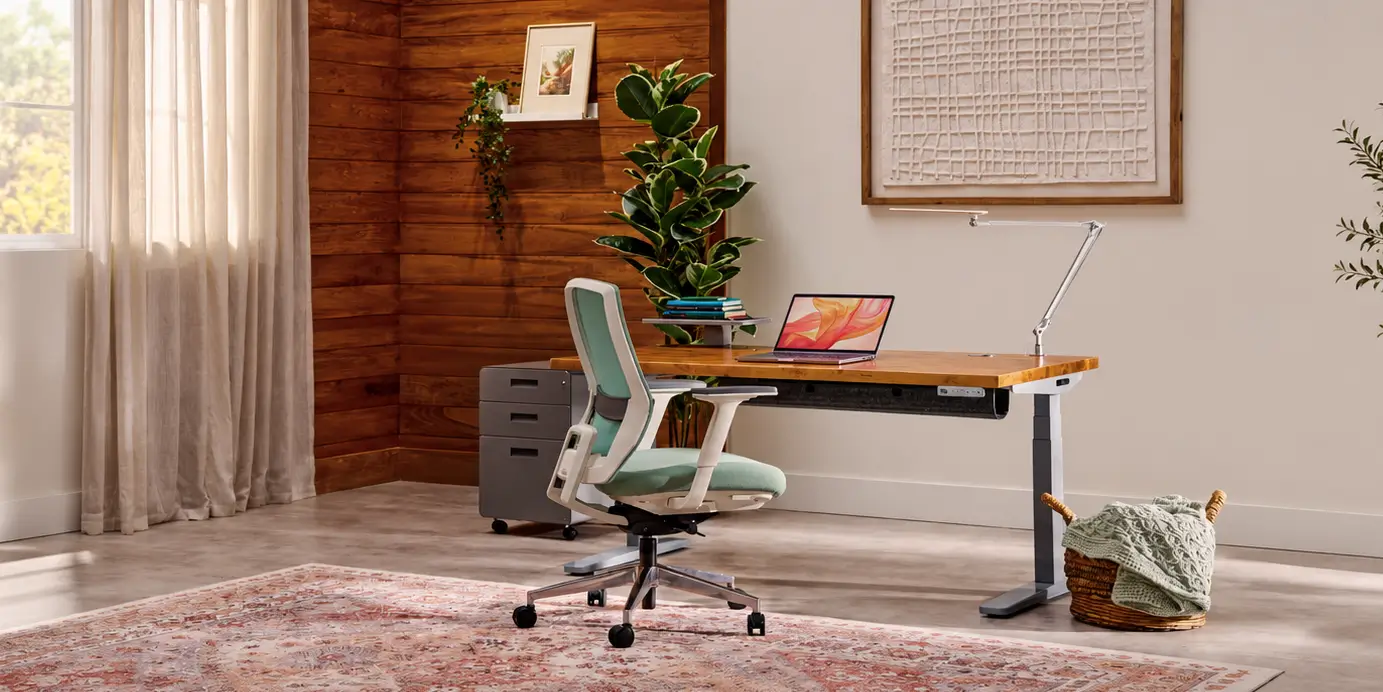
UPLIFT’s current configurable two-leg standing desk is the UPLIFT V3 Standing Desk, replacing the older V2 model that still appears throughout past reviews and search results. The V3 combines a dual-motor frame, wide published height range, 355-pound lifting capacity, fast travel, extensive desktop choices, integrated mounting points, and a 15-year warranty.
The V3 is a strong premium all-rounder for buyers who want configuration depth, a low minimum height, long coverage, and an accessory ecosystem. It is less suitable for shoppers who want a simple fixed price, minimal assembly decisions, or the lowest-cost path to sit-stand work.
This review covers the V3’s current specifications, configuration choices, warranty, returns, price, and practical purchase tradeoffs.
Quick Verdict
- Best for: Buyers who want a configurable premium standing desk with a broad height range and long warranty.
- Skip if: You want a low, predictable all-in price or do not need the V3’s extensive desktop/accessory choices.
- Core strength: A 21.6–47.7-inch published frame range, 355-pound capacity, dual motors, and 15-year warranty.
- Core limitation: The configurator can increase price and complexity quickly; published specifications do not establish real-world stability at your chosen size and load.
- Value verdict: Strong for long-term buyers who use the range and ecosystem; potentially excessive for a light laptop setup.
 Check Price at UPLIFT
Who Should Buy the UPLIFT V3?
The V3 is a good match for users who need a desk to travel low enough for a comfortable seated keyboard position and high enough for standing. Its published 21.6–47.7-inch frame range meets a broader range of users than many basic two-stage desks, although the final desktop surface height depends on desktop thickness and casters.
It also suits buyers with heavier multi-monitor setups, desktop computers, speakers, and accessories—provided the complete moving load remains within the manufacturer’s limit. The adjustable frame width and large desktop catalog support small and expansive offices.
Who Should Skip It?
Skip the V3 if your main goal is simply to raise a laptop occasionally and a lower-cost desk meets your measured range. The configurator may encourage accessories that add cost without solving a defined need. Buyers unable to handle frame and desktop assembly should include professional assembly or help in the true ownership cost.
Made-to-order desktop buyers should pay close attention to return exclusions. Buyers who prioritize maximum-height stability should compare feedback for the exact desktop size and expected equipment load, because width, height, flooring, assembly, and weight distribution all affect movement.
Current Model and Product Status
UPLIFT’s official store currently identifies the two-leg product as the UPLIFT V3 Standing Desk. The official product page showed a starting price of $699 during research and indicated active ordering. The V3 specification sheet is dated for the current frame generation and replaces assumptions based on older V2 material.
Product configurations vary by desktop size, material, frame color, keypad, accessories, and services. “UPLIFT V3” should remain in the article title and affiliate destination to avoid sending readers to an outdated or incorrect model.
Core V3 Specifications
| Specification | UPLIFT V3 Standing Desk |
|---|---|
| Frame height range | 21.6–47.7 in |
| Adjustable frame width | 41.3–72.2 in |
| Lifting capacity | 355 lb |
| Motors | Dual motor |
| Travel speed | 2 in/sec |
| Published noise level | Under 48 dB |
| Standby power | 0.1 W |
| Input voltage | 100–240 V |
| Warranty | 15 years, subject to policy |
| Standards listed | ANSI/BIFMA X5.5-2021 and G1-2013; UL listing for US/Canada |
These are manufacturer-published specifications for the V3 frame. Final dimensions and features can vary by configuration, so confirm the current product page and specification sheet before ordering.
Height Range and Ergonomic Fit
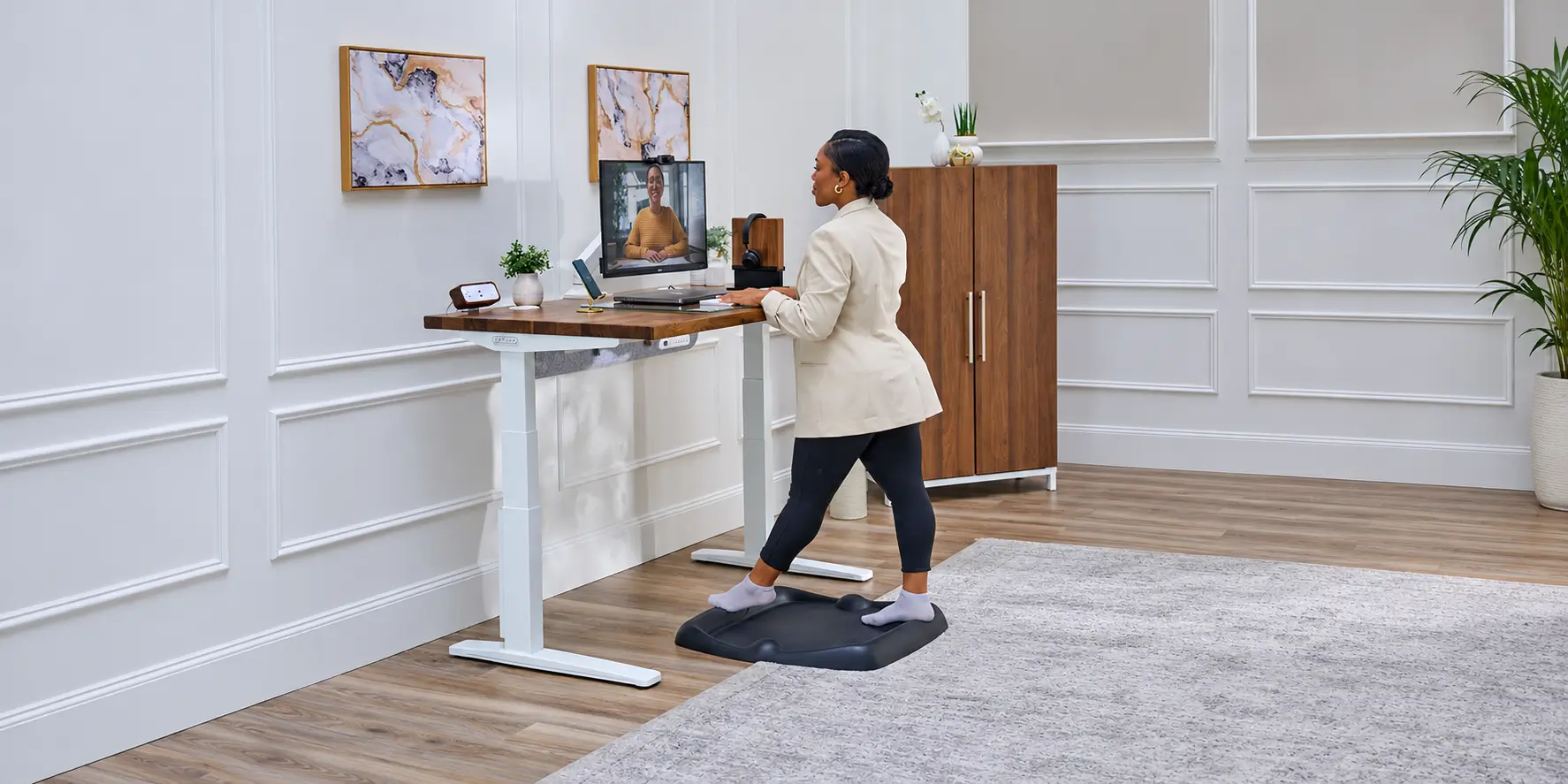
Minimum height is a major V3 advantage. A standing desk must work while seated before its standing height matters. Many users—especially shorter users or those using a thicker desktop—find common desk surfaces too high for relaxed shoulders and level forearms. The V3’s low frame position creates more setup flexibility.
The top surface will sit higher than the bare-frame specification because the desktop has thickness. Casters add height as well. Measure your target keyboard height in both seated and standing positions, then compare it with the configured surface range rather than the frame figure alone.
A height-adjustable desk may help users change position, but it does not guarantee comfort or treat pain. Monitor height, keyboard reach, footwear, floor surface, and movement habits all influence the workstation.
Motors, Speed, Noise, and Controls
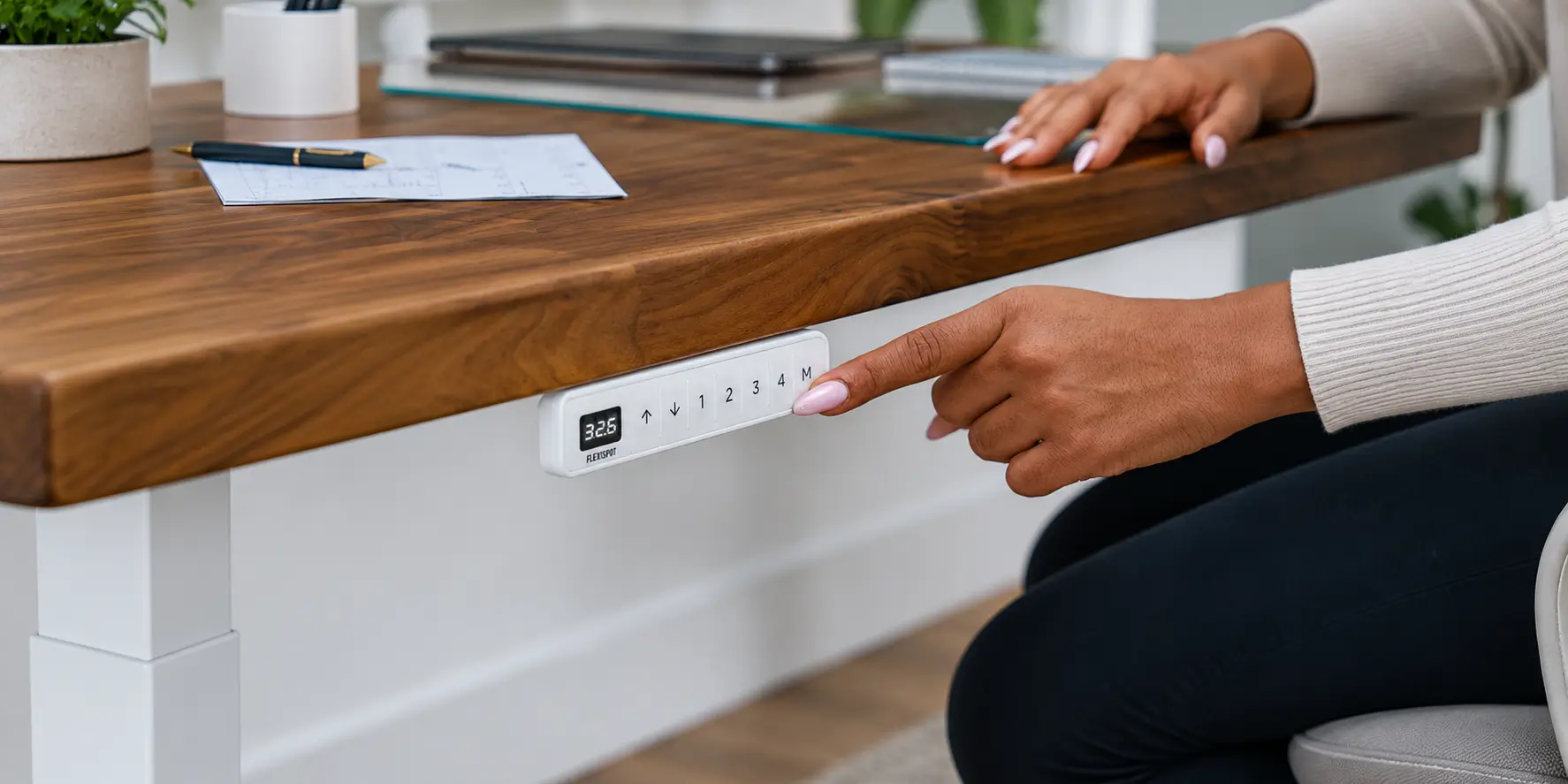
The V3 uses a dual-motor design with a published speed of two inches per second and noise below 48 dB. Faster movement reduces the friction of changing positions, but speed and sound under load require independent measurement. The official specification also lists 0.1-watt standby consumption.
Keypad choices and anti-collision settings can affect daily use. Memory presets make it easier to return to repeatable seated and standing heights. Anti-collision is a safety aid, not permission to ignore drawers, chairs, windowsills, or cables in the travel path.
Stability and Lifting Capacity
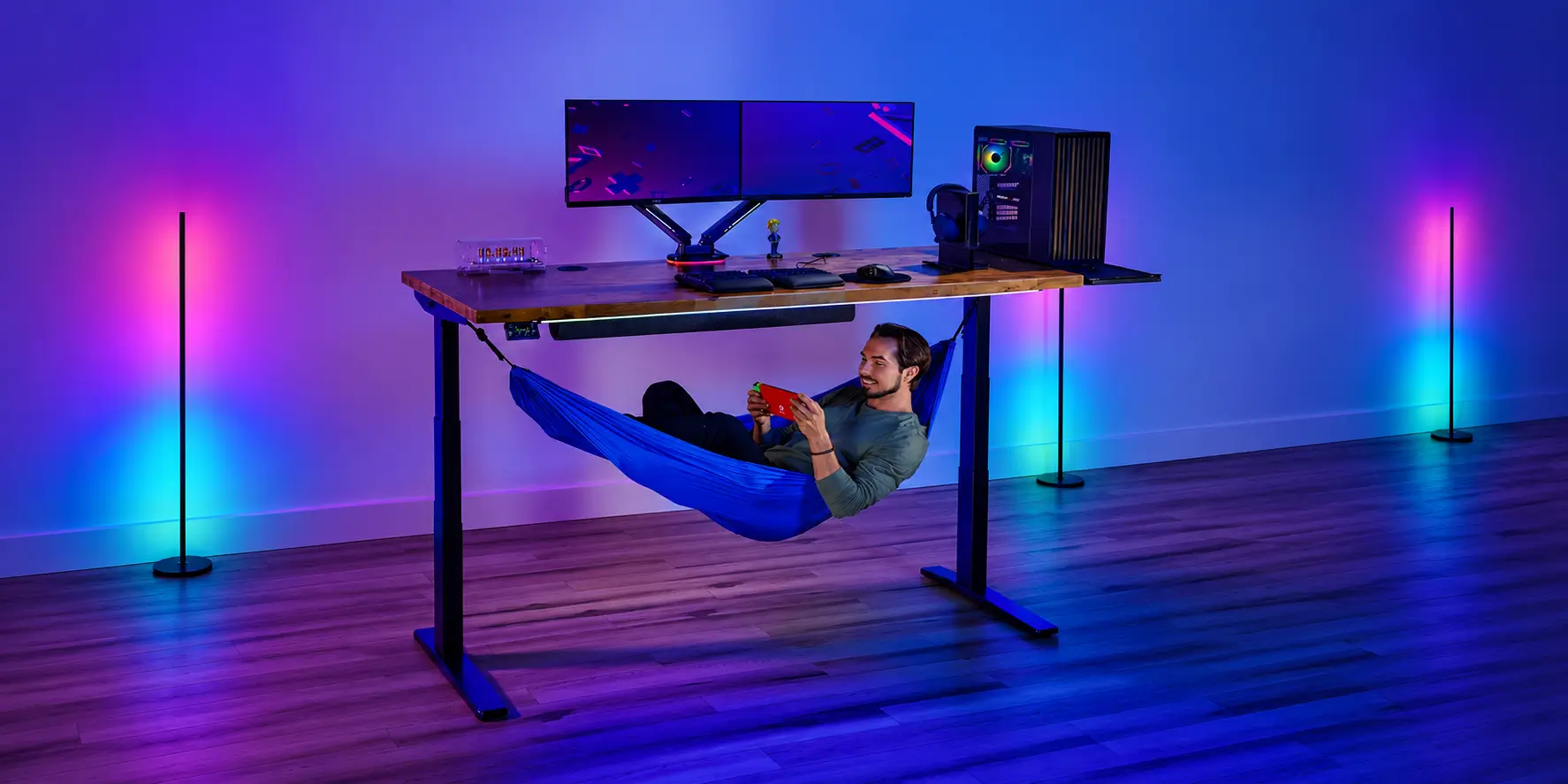
UPLIFT states that the V3 uses precision-tolerance legs that are 33% larger than the previous design and markets improved stability. The published 355-pound lifting capacity provides substantial load capacity for many multi-monitor and equipment-heavy home-office setups.
Capacity is not the same as stability. A desk can lift a load and still move at the monitor or desktop edge, especially at maximum height or with a wide top. UPLIFT describes the V3 as more stable than its previous design, but buyers should treat this as a manufacturer claim and consider the exact top size, working height, floor, assembly, and equipment placement.
Count every moving item: desktop, monitors, arms, computer, speakers, drawers attached to the top, and accessories. Leave reasonable headroom rather than designing exactly at the limit.
Desktop Options and Configuration
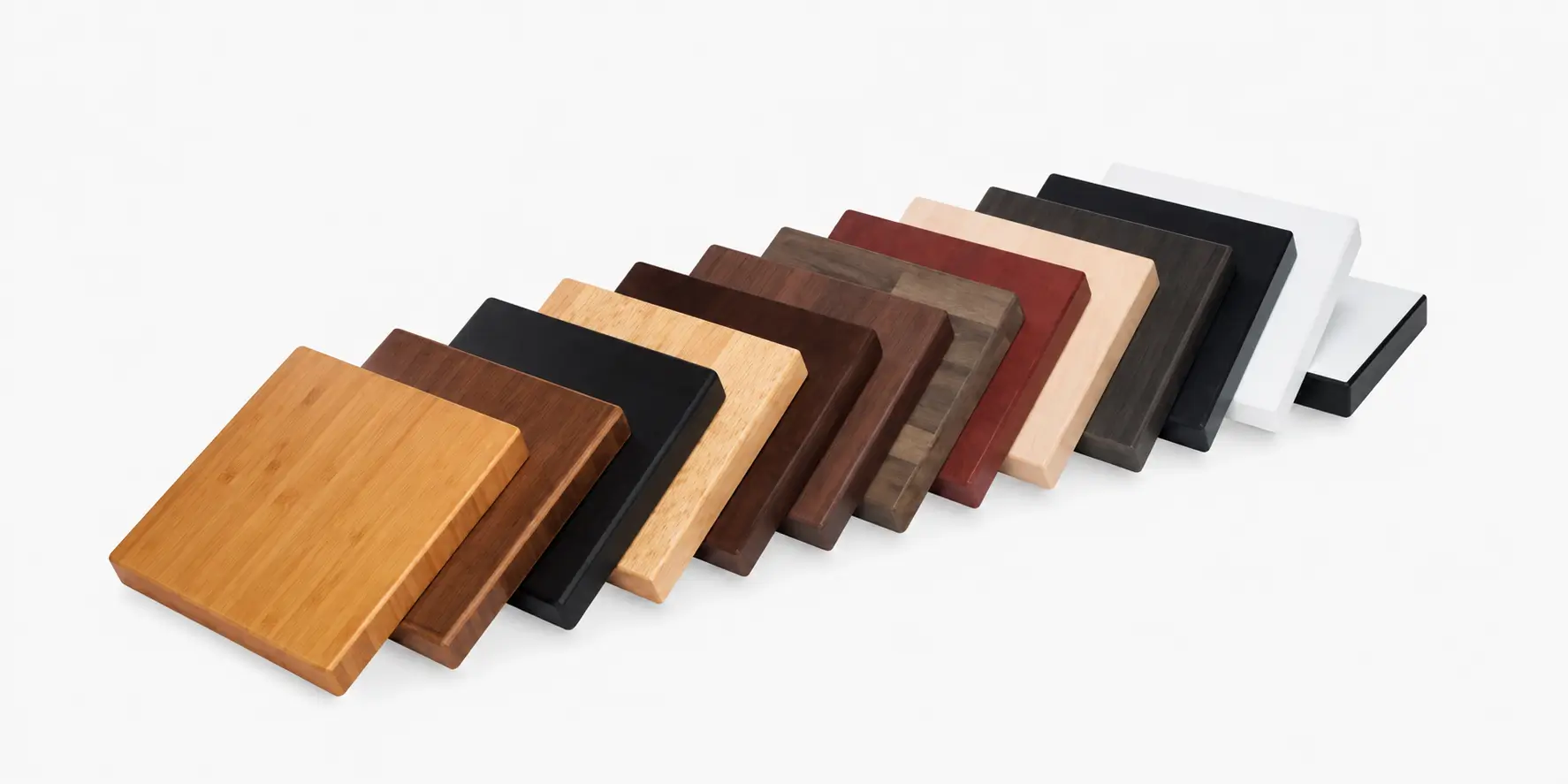
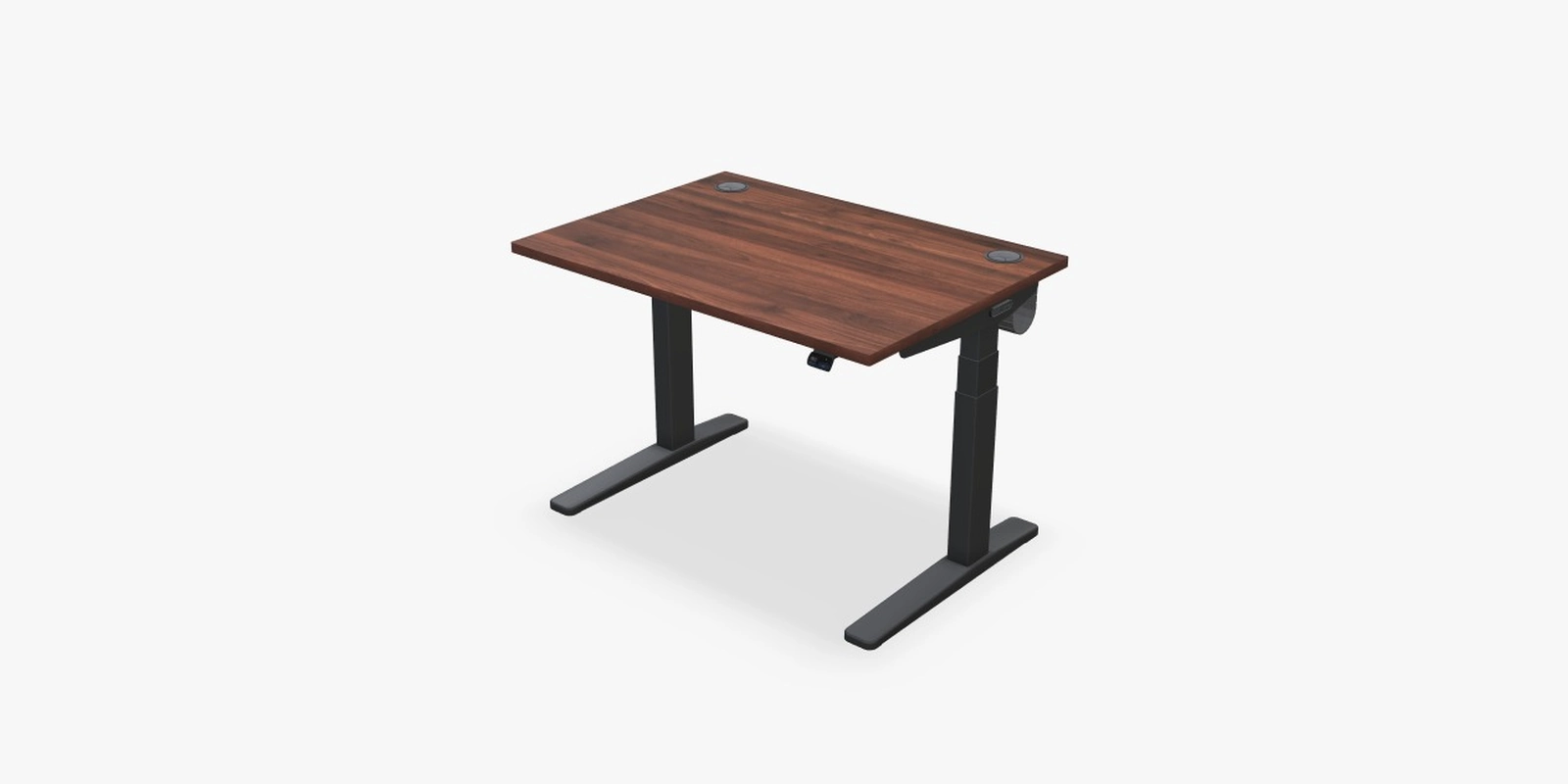
The official configurator offers laminate, bamboo, rubberwood, butcher block, solid wood, live-edge, and other desktop choices, with numerous sizes and shapes. That breadth is a competitive advantage because buyers can prioritize cost, appearance, durability, or material preference.
It also complicates comparison. A $699 starting configuration is not equivalent to a large solid-wood build. Desktop weight consumes some of the available lifting capacity. Natural materials vary in grain and color, and made-to-order tops can have return restrictions. Compare the final configured price and policy, not the headline figure.
Cable Management and Accessory Ecosystem
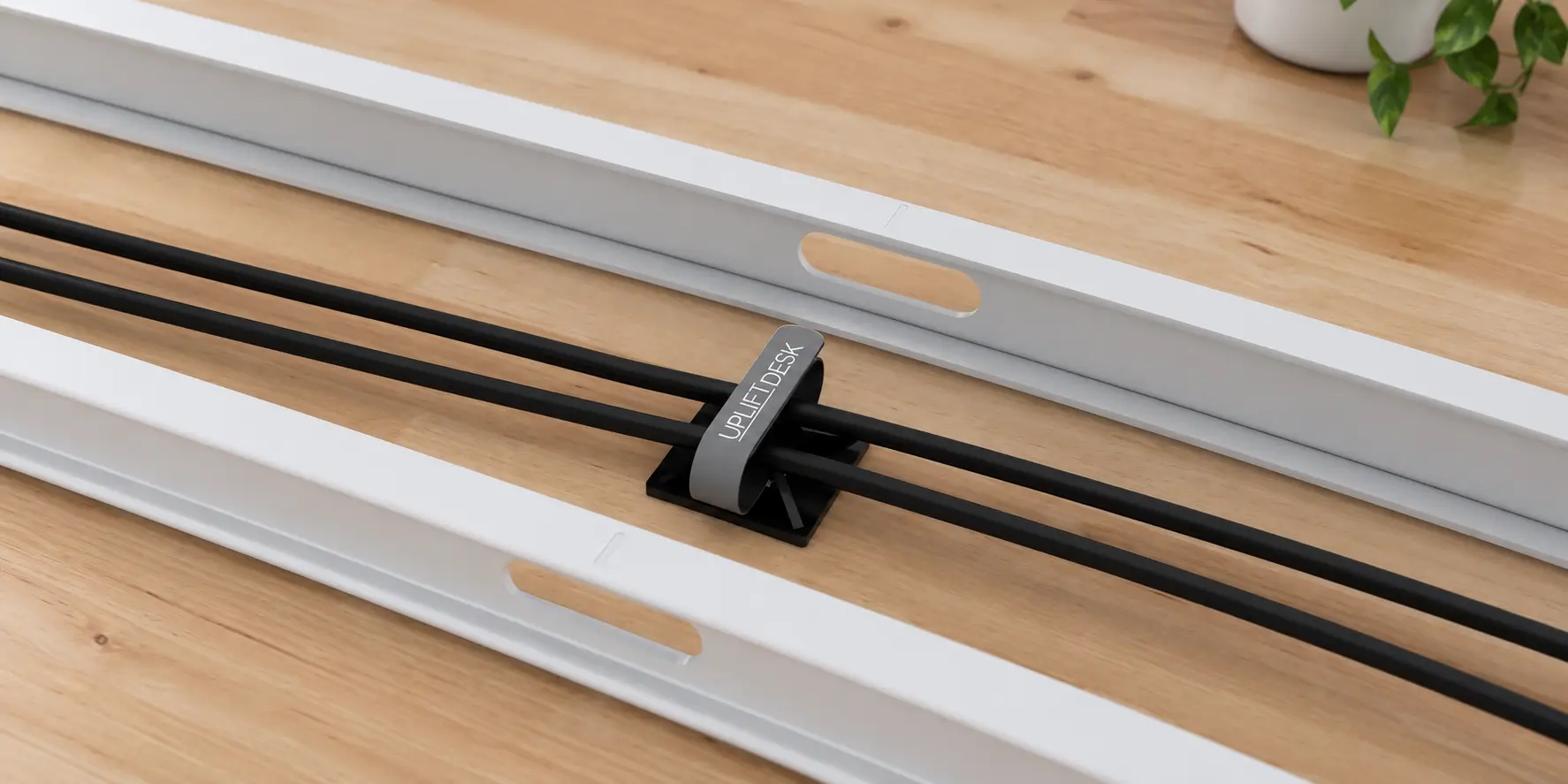
The V3 specification sheet lists free wire management and patented frame mounting points. UPLIFT’s catalog includes monitor arms, drawers, power accessories, CPU holders, keyboard trays, and other add-ons. Integrated mounting can reduce ad hoc drilling and help accessories move with the desk.
Plan cables before assembly. Power, monitor, and network cables need enough slack for full travel without dangling into knees or catching furniture. A surge protector attached to the moving desktop can reduce the number of long cables running to the wall. Do not exceed electrical ratings or route cords through pinch points.
Buy accessories only for a defined problem. A large bundle can undermine the V3’s value and create conflicts under the desktop.
Assembly and Setup
UPLIFT’s current FAQ says the V3 frame assembly requires a single Allen wrench and uses labeled hardware and components. That does not mean the complete desk is light or a one-person job. Desktop size and material affect handling, alignment, and flip-over risk.
Before assembly:
- Confirm room, doorway, and finished desktop dimensions.
- Inventory hardware and inspect for shipping damage.
- Protect the desktop surface during frame attachment.
- Use help when lifting or turning the desk.
- Route cables only after testing full travel.
- Run the official reset/calibration procedure when instructed.
Do not infer a specific assembly time without a documented build.
Warranty and Returns
UPLIFT provides a 15-year warranty on nearly every product, including the V3 standing desk, subject to its current policy and exceptions. The warranty is non-transferable and applies to the original purchaser. The policy lists exclusions including normal wear, misuse, improper assembly, modifications, certain natural-material changes, and proportional reduction for multi-shift use over 40 hours per week.
The official FAQ describes a 30-day trial and free returns for like-new products in original packaging in the contiguous United States. Made-to-order products—including certain custom desktop categories—are excluded. Verify the full return policy for the exact top and services before purchase. Retain all packaging until the decision is final.
The 15-year term is a major ownership advantage, but it should not be summarized without the exclusions.
Price and Value
The V3 started at $699 on the official page during research. Premium desktop materials, larger sizes, upgraded controls, accessories, and services can move the checkout total far above that number.
The desk offers the best value to buyers who need its low height, substantial capacity, configuration breadth, mounting ecosystem, and long warranty. A buyer with one laptop and no special height requirement may get little benefit from paying for this headroom.
Use a needs-first configurator approach:
- Select a surface size based on equipment and room measurements.
- Select material based on maintenance and budget, not photography alone.
- Add a memory keypad if multiple positions will be used daily.
- Add cable management for the actual cable count.
- Skip accessories that duplicate existing equipment.
Pros and Cons
Pros
- Broad 21.6–47.7-inch published frame height range.
- 355-pound published lifting capacity.
- Dual motors with two-inch-per-second published speed.
- Wide desktop material and size selection.
- Integrated mounting and wire-management ecosystem.
- 15-year warranty, subject to the current policy exclusions.
- Officially listed ANSI/BIFMA and UL-related standards.
Cons
- Starting price does not represent many desirable configurations.
- Extensive options can create decision fatigue and costly bundles.
- Assembly and moving a large desktop may require help.
- Some made-to-order desktop configurations are nonreturnable.
- Real-world stability, noise, speed, and anti-collision behavior can vary with desktop size, load, assembly, floor surface, and setup.
- Older V2 content online creates model confusion.
UPLIFT V3 vs. Lower-Cost Standing Desks
The V3’s clearest differentiators are height range, configuration, capacity, accessories, and warranty. A lower-cost desk may still be the better purchase if it reaches your measured seated and standing heights, fits your equipment, and provides acceptable coverage.
Do not pay for a 355-pound limit merely because it sounds robust. Pay for it if your desktop and equipment make the headroom useful. Likewise, the 15-year warranty has more value for a desk expected to survive multiple home-office setups than for a temporary workstation.
Alternatives
Branch Standing Desk
Consider Branch if you prefer a simpler office-furniture ecosystem and want to compare service, finish, and configuration with other Branch products. Verify current model specifications rather than assuming they match the V3.
FlexiSpot E7
The FlexiSpot E7 is worth comparing if you want another configurable electric standing desk. Compare the current height range, lifting capacity, warranty, return terms, desktop options, and final configured price rather than assuming the two desks offer the same ownership package.
UPLIFT V3 Commercial or L-Shaped Configurations
If a standard two-leg rectangle does not fit the use case, compare current Commercial or L-shaped models as distinct products. Do not transfer the two-leg V3’s capacity or dimensions to them.
Should You Buy the UPLIFT V3 Standing Desk?
Buy the V3 if its measured range fits you, the desktop catalog solves a real room or equipment need, and you value 15-year ownership coverage. It is particularly compelling for users who need a low seated position or expect a heavy multi-monitor setup.
Skip it if you are choosing mainly from the headline starting price, cannot manage assembly, or would be satisfied by a simpler desk with the correct range. Configure the complete desk, read the return exclusions, and compare the final total before deciding.
View UPLIFT V3FAQ
Q: What is the current UPLIFT standing desk model?
A: The official store currently leads with the UPLIFT V3 Standing Desk for its standard two-leg configurable desk. Older V2 material should not be used as current V3 evidence.
Q: What is the UPLIFT V3 height range?
A: The current official frame specification lists 21.6 to 47.7 inches. The finished desktop surface is higher because of top thickness and any casters.
Q: How much can the UPLIFT V3 lift?
A: UPLIFT publishes a 355-pound lifting capacity for the two-leg V3 frame. Count the desktop and all equipment in the moving load.
Q: Is the UPLIFT V3 stable?
A: UPLIFT markets larger precision-tolerance legs and improved stability. In practice, stability depends on height, top size, floor, assembly, and equipment placement, so buyers should compare configurations close to the one they plan to order.
Q: What is the UPLIFT V3 warranty?
A: The current policy provides 15-year coverage on nearly every UPLIFT product, subject to exceptions, original-purchaser eligibility, and proportional treatment for multi-shift use.
Q: Can the UPLIFT V3 be returned?
A: The official FAQ describes 30-day free returns for like-new products in original packaging within the contiguous United States. Certain made-to-order desktops are excluded. Verify the full current policy for your configuration.
Final Recommendation
The UPLIFT V3 is a strong premium standing desk for buyers who will use its broad range, capacity, configuration system, and warranty. Its design specifications are competitive, but the real decision should happen in the configurator: measure your target heights, build the exact desk, review return eligibility, and judge the final price. Avoid paying for accessories or capacity that your setup does not require.
Affiliate disclosure: Some links on Verivolab may be affiliate links. If you purchase through an affiliate link, we may earn a commission at no additional cost to you. This does not affect how we evaluate products.